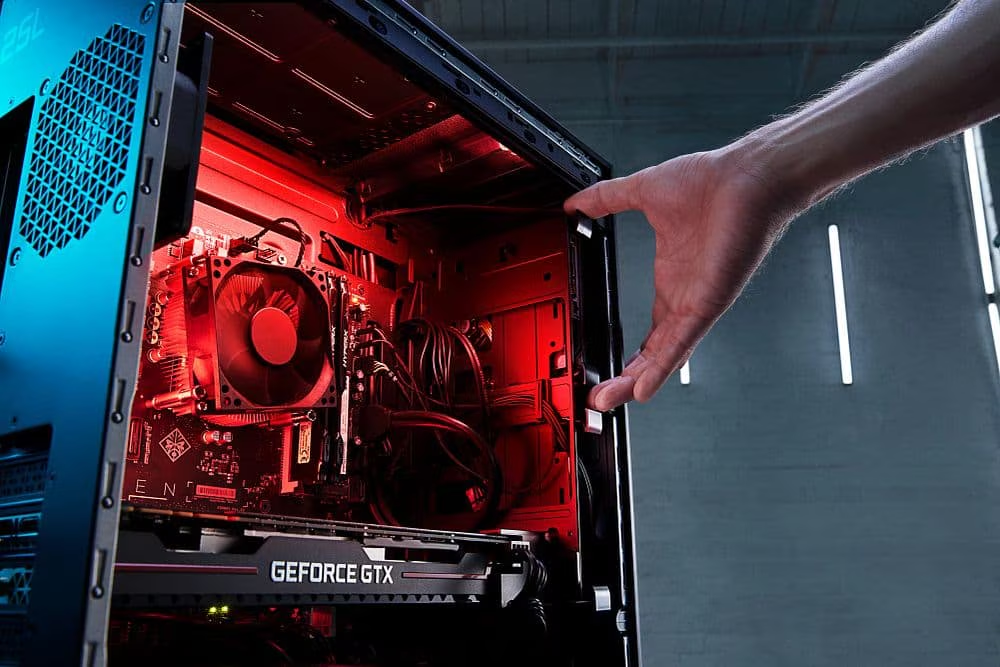
A PC case is far more than just a box that holds your computer components—it is the foundation of your entire system. From protecting delicate hardware to influencing airflow and cooling efficiency, the right PC case plays a critical role in your computer’s overall performance and longevity. Whether you are building a gaming rig, a professional workstation, or a simple home PC, choosing the right case can significantly impact your experience.
Modern PC case have evolved dramatically over the years. Today, they are designed not only for functionality but also for aesthetics. Features like tempered glass panels, RGB lighting, and sleek minimalist designs have turned PC cases into statement pieces. Enthusiasts often showcase their builds, making the case an essential element of personal expression in addition to technical performance.
Another key aspect of PC cases is organization and ease of use. A well-designed case simplifies the building process, improves cable management, and ensures better airflow. For beginners, a good case can make the difference between a smooth build and a frustrating experience. For experienced users, it provides flexibility for upgrades and customization.
Ultimately, a PC case is where form meets function. It combines engineering, design, and practicality into a single component that supports everything else. Understanding its importance is the first step toward building a reliable and visually appealing system.
Types of PC Cases Explained
PC cases come in various sizes and formats, each designed to meet different needs. Full tower cases are the largest and offer maximum space for components, making them ideal for high-performance builds. They can accommodate multiple GPUs, extensive cooling systems, and large motherboards, making them a top choice for enthusiasts and professionals.
Mid tower cases are the most popular option among users. They strike a balance between size, affordability, and functionality. These cases typically support standard ATX motherboards and provide enough room for most gaming and productivity setups. Their versatility makes them suitable for both beginners and experienced builders.
For those seeking compact solutions, mini tower and small form factor (SFF) cases are excellent choices. These cases are designed for portability and space-saving setups. However, they often come with limitations in terms of cooling and component compatibility. Building in a smaller case requires careful planning and component selection.
Specialty cases, such as open-frame designs and home theater PC (HTPC) cases, cater to niche audiences. Open-frame cases are popular among modders who want to showcase their builds, while HTPC cases are designed to blend seamlessly into living room setups. Each type serves a specific purpose, highlighting the diversity of options available in the PC case market.
Key Factors to Consider When Choosing a PC Case
Choosing the right PC case involves evaluating several important factors. Size and compatibility are among the most critical considerations. You need to ensure that your case supports your motherboard type, whether it’s ATX, Micro-ATX, or Mini-ITX. Additionally, checking clearance for GPUs, CPUs, and power supplies is essential to avoid compatibility issues.
Airflow and cooling support are equally important. A well-ventilated case ensures that your components remain cool, which directly impacts performance and lifespan. Cases with multiple fan mounts and radiator support are ideal for maintaining optimal temperatures, especially for high-performance systems.
Build quality and materials also play a significant role. Cases made from high-quality steel or aluminum offer better durability and stability. Features like tempered glass panels not only enhance aesthetics but also provide a clear view of your components, adding a premium touch to your build.
Cable management and front panel connectivity should not be overlooked. A case with proper cable routing channels and tie-down points helps keep your build neat and improves airflow. Meanwhile, convenient front panel ports, including USB and audio jacks, enhance usability and accessibility.
PC Case Airflow and Cooling Optimization
Airflow is one of the most critical aspects of a PC case. Proper airflow ensures that heat generated by components is efficiently dissipated, preventing overheating and performance throttling. Understanding airflow patterns, such as positive and negative pressure, can help you optimize your system.
Positive air pressure means more air is being pushed into the case than expelled, which helps reduce dust accumulation. Negative pressure, on the other hand, can improve cooling but may lead to increased dust buildup. Striking the right balance is key to maintaining both performance and cleanliness.
Fan placement plays a vital role in airflow optimization. Typically, intake fans are placed at the front or bottom, while exhaust fans are positioned at the rear or top. This setup creates a natural flow of air through the case, effectively cooling all components.
Regular maintenance is also essential. Dust filters should be cleaned periodically to ensure unobstructed airflow. Neglecting maintenance can lead to reduced cooling efficiency and potential hardware issues over time.
Building a PC: Case Installation Guide
Building a PC begins with preparing the case. This involves unboxing, removing panels, and organizing screws and accessories. Taking the time to familiarize yourself with the case layout can make the assembly process much smoother.
Installing components in the correct order is crucial. Typically, the motherboard is installed first, followed by the power supply, storage devices, and graphics card. Ensuring that each component is securely mounted and properly connected is essential for a functional system.
Cable management is an often underestimated aspect of PC building. Properly routed cables not only improve the appearance of your build but also enhance airflow. Using cable ties and routing channels can help keep everything organized and tidy.
Finally, testing your system before closing the case is a good practice. This allows you to identify and fix any issues without having to disassemble everything later. A well-executed build results in a reliable and visually appealing system.
Best PC Case Features for Different Users
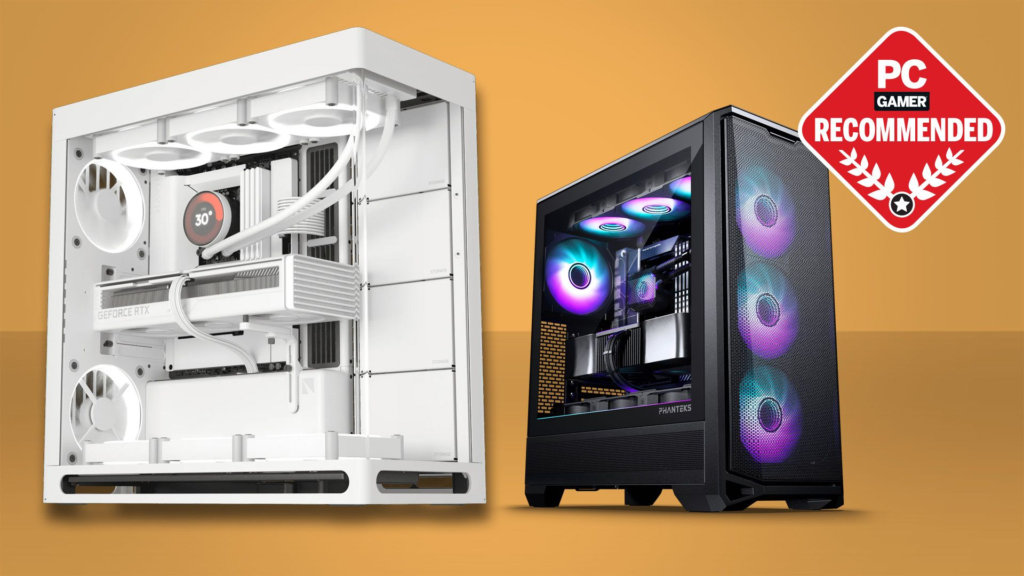
Different users have different requirements when it comes to PC cases. Gamers often prioritize features like RGB lighting, high airflow, and ample space for powerful GPUs. These features enhance both performance and visual appeal.
Professionals and workstation users, on the other hand, focus on functionality and quiet operation. Cases with sound-dampening materials and efficient cooling systems are ideal for maintaining a productive environment.
Budget builders look for affordability without compromising essential features. Many modern cases offer excellent value, providing good airflow, build quality, and compatibility at a reasonable price.
Enthusiasts and modders seek customization options. Cases with modular designs, open layouts, and support for custom cooling solutions allow for creative and unique builds.
Popular PC Case Brands and Market Trends
The PC case market is filled with reputable brands offering a wide range of options. These manufacturers continuously innovate to meet the evolving needs of users, introducing new designs and features.
One notable trend is the shift toward minimalist designs. Many users prefer clean, simple aesthetics over flashy designs. At the same time, RGB lighting remains popular among gamers and enthusiasts.
Compact builds are also gaining traction. As technology advances, more powerful components are being designed to fit into smaller spaces, making SFF cases increasingly viable.
Sustainability is another emerging trend. Some manufacturers are exploring eco-friendly materials and production methods, reflecting a growing awareness of environmental impact.
Common Mistakes to Avoid When Buying a PC Case
One common mistake is ignoring compatibility. Failing to check whether your components fit within the case can lead to significant issues during the build process.
Another mistake is prioritizing aesthetics over functionality. While a visually appealing case is important, it should not come at the expense of airflow and cooling performance.
Poor airflow decisions can also be detrimental. Choosing a case with limited ventilation can result in overheating and reduced performance.
Lastly, overlooking future upgrades can limit your system’s longevity. Selecting a case with enough space and flexibility ensures that you can upgrade components as needed.
Maintenance and Longevity Tips
Maintaining your PC case is essential for long-term performance. Regular cleaning helps prevent dust buildup, which can obstruct airflow and cause overheating.
Inspecting components and connections periodically ensures that everything remains in good condition. Addressing minor issues early can prevent more significant problems later.
Upgrading components within the same case is a cost-effective way to extend your system’s lifespan. A well-chosen case can accommodate multiple upgrades over time.
Proper care and maintenance not only improve performance but also enhance the overall lifespan of your PC.
Conclusion
Choosing the right PC case is a crucial step in building a reliable and efficient computer system. It influences everything from performance and cooling to aesthetics and ease of use. By understanding the different types of cases and the factors to consider, you can make an informed decision that meets your needs.
A good PC case balances functionality, design, and budget. Whether you are a beginner or an experienced builder, investing in the right case ensures a smoother building process and a better overall experience.
In the end, the perfect PC case is one that aligns with your goals and preferences. Take your time, do your research, and choose wisely to create a system that you can be proud of.
Frequently Asked Questions (FAQs)
What size PC case should I choose?
It depends on your components and space requirements. Mid tower cases are ideal for most users.
Are expensive PC cases worth it?
Higher-end cases often offer better build quality, features, and cooling support.
How many fans does a PC case need?
At least two to three fans are recommended for proper airflow.
Is airflow more important than design?
Yes, airflow directly impacts performance and component longevity.
Can small PC cases handle high-end components?
Yes, but careful planning and proper cooling are essential.
What is the best material for a PC case?
Steel and aluminum are popular choices for durability and quality.
Do all PC cases support liquid cooling?
No, you need to check radiator support and compatibility.
How do I improve airflow in my PC case?
Use proper fan placement, clean dust filters, and manage cables effectively.
What is the difference between ATX and Micro-ATX cases?
ATX cases are larger and support more components, while Micro-ATX cases are more compact.
How often should I clean my PC case?
Cleaning every 2–3 months is recommended for optimal performance.
You May Also Read: Headphones Wireless